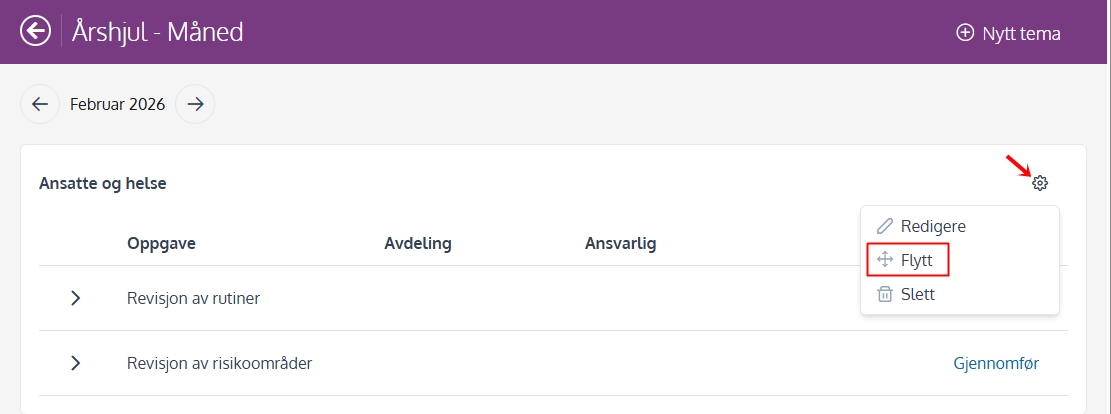
You can move an entire theme from one month to another in the Annual Wheel.
Here's how to do it
- Go to Annual wheel — Month.
- Find the topic you want to move.
- Click cogwheel to the right of the topic.
- Select Move.
- Choose which month the theme will be moved to and press “Move”.
Note: Subject relocations can only be made within the same year.
Moving theme to another month in coming year
If you want a theme to be in another month of the next year (or in future years), you can do the following:
- Edit the theme and activate Recurrence every year.
- Save.
- Go to the New Year in the wheel of the year.
- Click on the gear on the theme and select Move.
- Select the desired month.
This way you can keep the same theme from year to year, but adjust which month it will be performed in the future.