

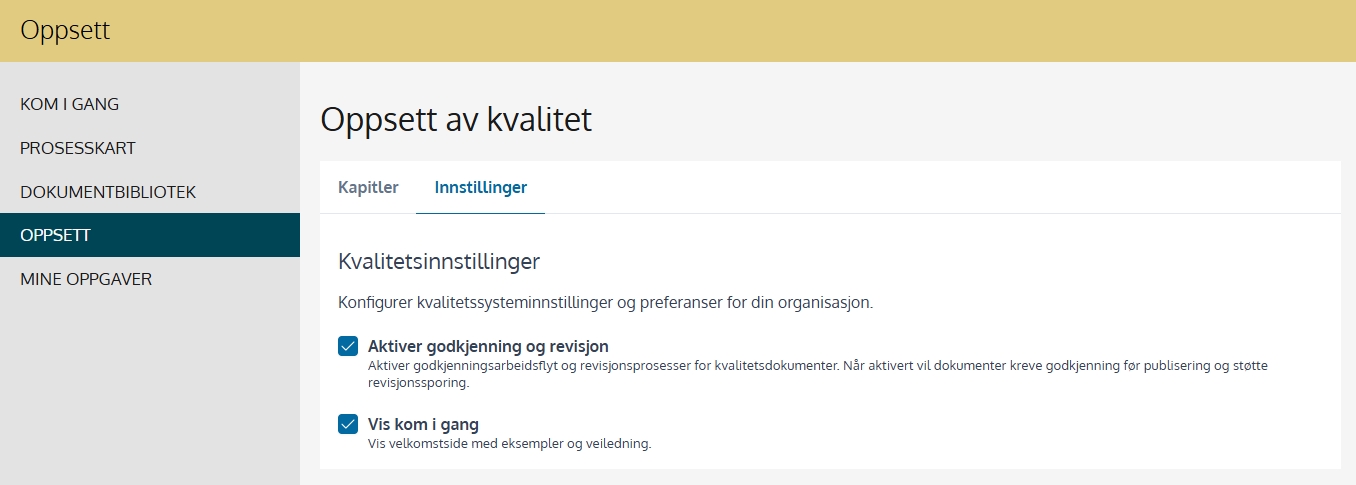
When this option is enabled, documents must be approved before publication. All changes are logged with revision history so you can see who created, edited, and approved documents. This is recommended if the business wants documented quality assurance and control in line with ISO 9001 or similar standards.
What does that mean in practice?
Documents that are created or modified must be submitted for approval before they become visible to users. This ensures that only quality-assured documents are published in the system.
When you do not activate the function
If the feature is not enabled, users with editing access can publish documents directly without an approval process. The documents will not get revision tracking, and changes will overwrite the existing version.
When this option is enabled, a separate welcome page will appear with examples, explanations and guidance on how to use the quality system. The site helps you and your organization get started quickly and provides an overview of how you can build your own quality system.
In Setup you can customize the structure of the document library according to the needs of your organization. You can use chapters to group content in a way that reflects how your business is organized, or how processes are interconnected.
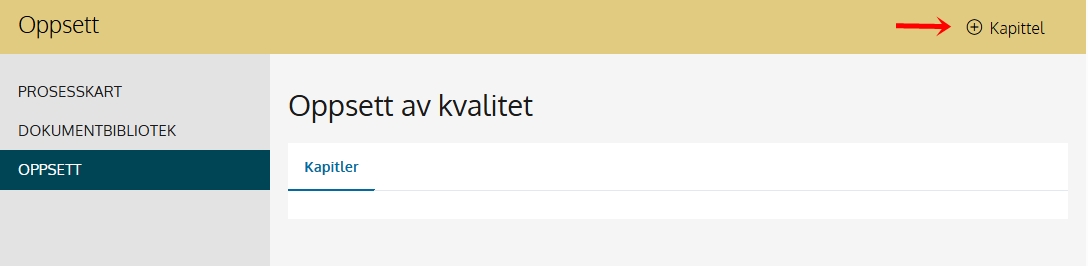
Press on +Chapter to create a chapter division
To create subchapters it is recommended to select the chapter that you want to have subchapters, open this by clicking on the check mark on the right and select +Subchapter from here.

One can associate a document or process with one or more chapters. This is done during the creation or editing of the document.
Quality areas are used to structure and organize the content of the quality management system.
A quality area represents a main topic or category that groups together related processes and documents. This makes it easier to navigate, follow up on responsibilities, and ensure that all parts of the organization are covered.
You can create quality areas under Settings – Areas.
Read more about this here: support.mentorpluss.no/hjelp-hms/omrader

