Areas are used to organize content in the system so that processes, documents and tasks are linked to the appropriate subject area. This provides better overview, structure and accountability in the business.
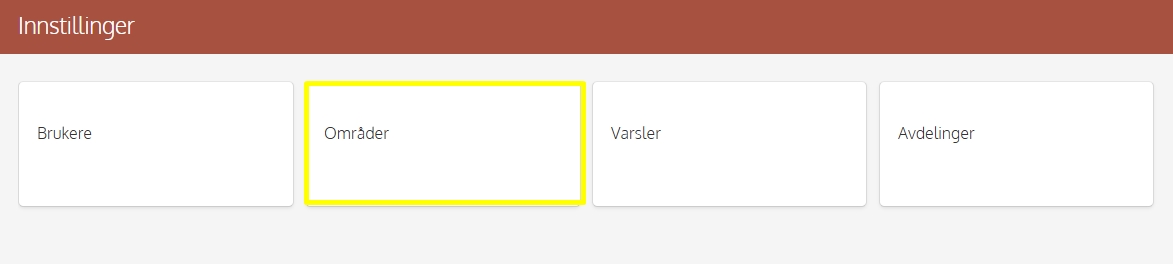
You can create and manage sites from the menu selection: Settings → Areas
Creating Area
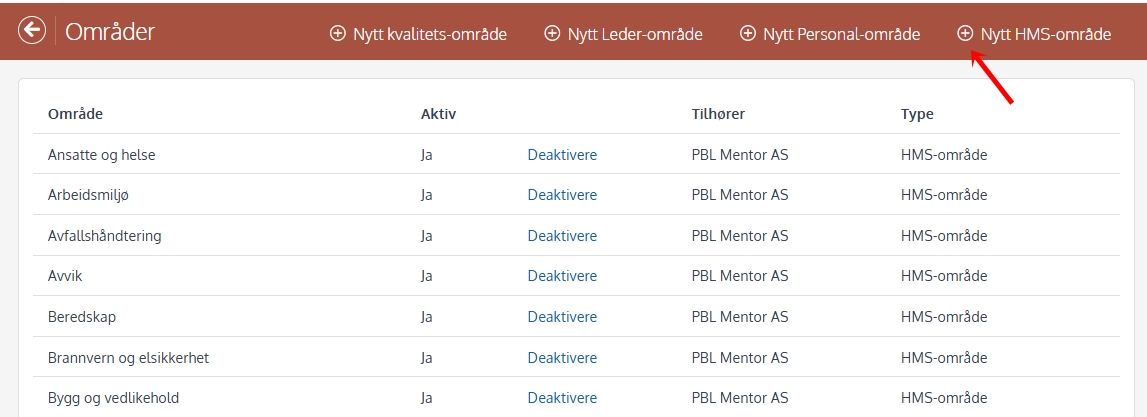
One creates areas by pressing + button at the top of the window.
Types of areas
under Areas You can create the following types:
HSE area — used to link documents and activities to health, environment and safety.
Personnel area — used for tasks, procedures and documents in the personnel manual.
Leader area — used for documents and processes related to management, follow-up and internal control.
Quality area — used in the quality system to collect processes and documents related to quality assurance, improvement and audit.
Important to know
HSE areas are required in the system for most documents and processes — with the exception of the Quality tile, where the field is not mandatory.
When you downloading templates from HMS, the corresponding HSE area, Manager area and Personnel area are adopted automatically. This ensures that the templates are positioned correctly and follow the structure of your business without having to manually customize the areas.
Areas cannot be deleted, but you can deactivate areas that are no longer in use. This allows them to be hidden in lists and selections without losing the history of the system.