Digital signature allows you to send documents for electronic signing with BankID. You can find this functionality under 'Personal Folder' in Mentor Personal.
The employee must be registered in Mentor Personal before you start. The document is sent for signing by a manager or administrator.
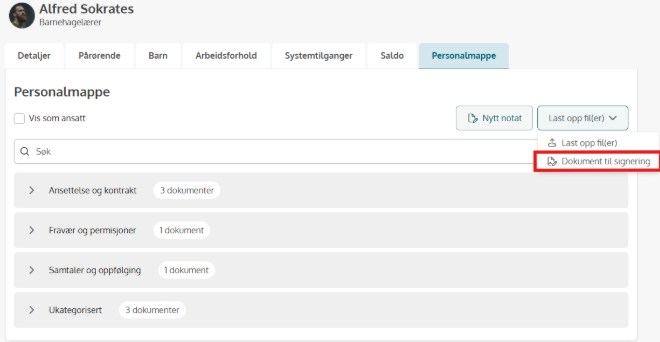
Go to the employee's personnel folder, select "Upload files" and then "Document for signing".
A document is signed by one or more signatories. Signatory 1 is usually the manager, and signatory 2 is the employee. Before sending, check that each signatory is linked to the correct email address, and change it if necessary.
Before sending the document, verify that each signatory is associated with the correct email address and update it if necessary.
Once the document has been sent, all signatories receive an email containing a link to sign the document. The signing itself is completed using BankID.
If an employee needs to sign several documents at the same time, for example an employment contract and a confidentiality agreement, it is recommended to combine them into a single PDF before uploading. This way, both the employee and the manager only need to complete one signing process.
If the document hasn't been signed within 3 days, the system sends a reminder.
When everyone has signed, the parties receive a confirmation by email. The document is automatically saved in the employee's personnel folder with an electronic signature from BankID, and is visible to both parties.
The status is updated along the way with these statuses:

For a detailed view of the status, click the three dots next to the document and select "Show signing details".

If a signatory does not receive the email containing the signing link, the email address is most likely incorrect. The document will appear with the status Not Delivered in the Personnel File. No reminder will be sent because the recipient never received the original email.
If a signatory receives the email but is unable to open the document for signing with BankID, verify that the national identity number registered for the signatory is correct.
If the email address or national identity number is incorrect, or the document needs to be resent for any other reason, the signing process must first be cancelled.
To cancel a signing request, open the menu by clicking the three dots next to the document and select Cancel Signing.
If you want to remove the document from the Personnel File after cancelling the signing process, open the three-dot menu again and select Delete.
Then upload the document again using the correct information.
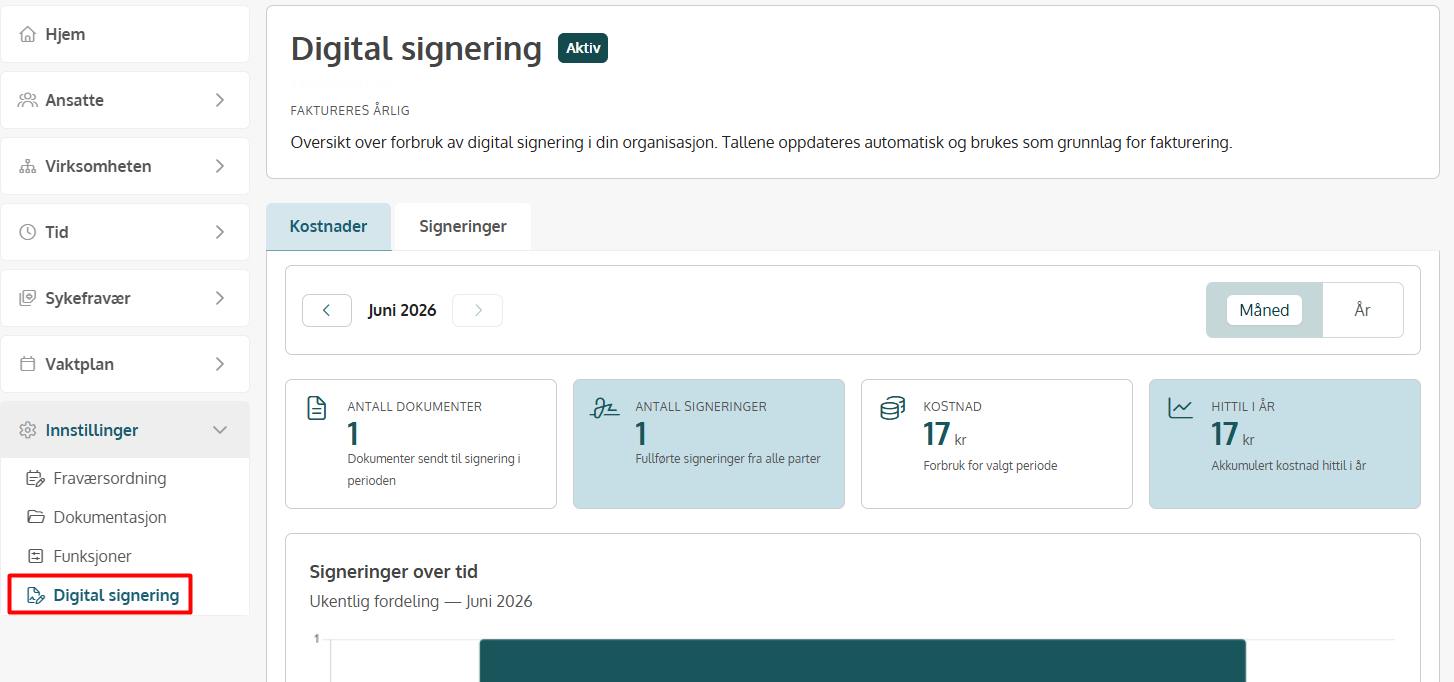
The administrator always has an overview of all documents sent for signing, along with their status in the process, collected in a dedicated dashboard.
The dashboard also shows the costs of using digital signing, both per month and per year. Each signature costs NOK 17 excl. VAT. A document with two signatories therefore costs NOK 34.
You'll find this overview under Settings – Digital signing