

As an administrator or editor, you can use reminders to ensure that employees follow routines, tasks, and checklists. The feature is particularly useful when one or more employees have not read a routine, when an activity needs to be followed up manually, or when a checklist has not been completed within the expected time. Then you can easily remind the relevant people of what remains, and contribute to good follow-up and compliance.
Reminders make it easier to follow up with employees who have not yet confirmed that the routine has been read.
NB! You also have the option to send reminder when you have a routine open and select “Reading Status Overview”.

Reminders ensure that planned HSE activities are completed at the right time and are not forgotten.
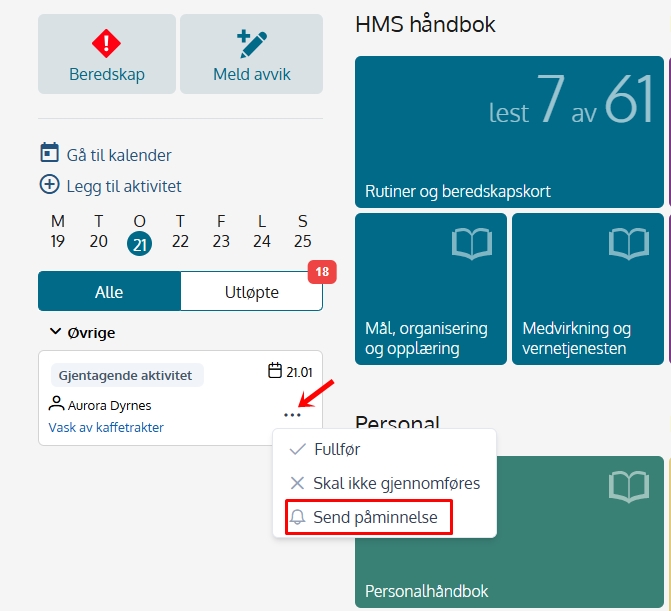
You can do this from the calendar on the front page by clicking on the three dots to the right of the activity and selecting “Send reminder” If it is set responsible for the activity this is selected by default, but here you are free to send a reminder to any other users.
NB! You can also send the same type of reminder from within the calendar.
Reminders help ensure that necessary checks and follow-ups are carried out and documented.
This applies to active checklists in the calendar on the front page or in the list of expired checklists. In the list of expired checklists, you will find the button for “Send reminder” under the three dots on the right.

When sending a reminder, an eventual responsible person appears by default selected, but here this can be changed before sending.
Read more about the notification center here:
support.mentorpluss.no/en/hjelp-hms/varslingssenter

